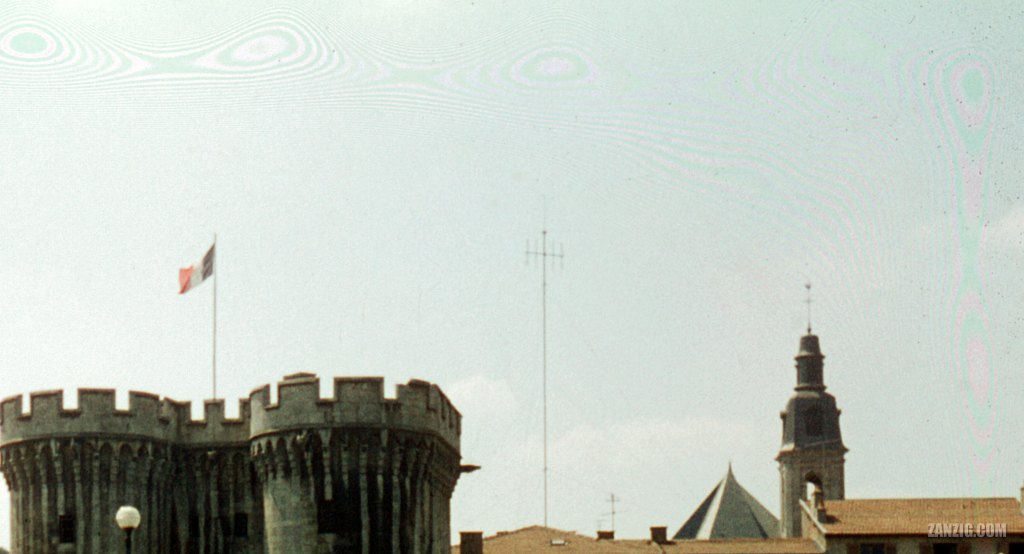
Detail of the scan of a slide showing so-called Newton Rings across large portions of the sky. Scan © Mark Zanzig/zanzig.com
I see weird rings, ovals and lines on my slide scans. How can I deal with them?
If you have been scanning a number of your slides, you may have encountered a weird problem. It can show in your scans at random locations and basically ruin the entire scan. This also affects scans from negative film. See the cut-out of a slide scan above to see what I am talking about.
Heck, it’s even visible in the small version of the raw scan:
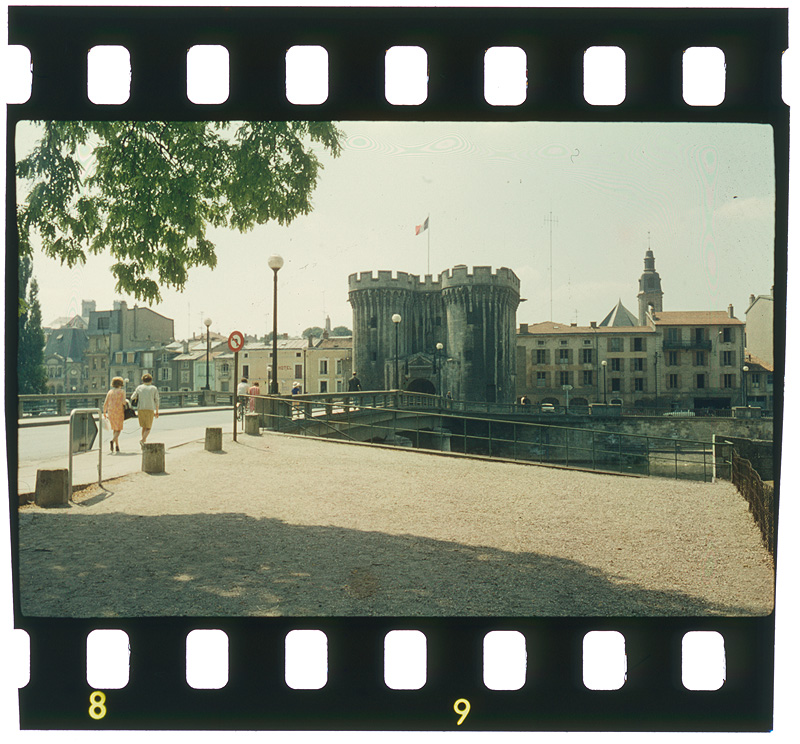
Specifically, this can happen when the surface of a piece of film touches a glass surface. It does not matter whether it’s the glass of a glass frame, or the glass of the scanner. If it touches you’ll probably get the ugly patterns.
I did not encounter this issue for many years because I had all my slides in frames without glass. These leave a gap between the surface of the scanner and the piece of film. So I did not notice the problem.
A while ago I started scanning images from other photographers who took a great effort in protecting their images (captured on slide film) by putting them into glass frames and (often) sealing the edges so that no dust can enter the interior. As a protective measure, this has been working extremely well. The glass frame may get damaged over time by tiny scratches and spots, or even break, but the piece of film typically remains unaffected by any of this. When removing slides from their glass prison, even slides from the 1950s look technically ‘like new’. (The colors may have faded, but that’s a different issue.)
However, this presents a challenge for those of us who perform a large number of scans, for example to digitize a slide archive. First of all, removing the slide film from the glass frame removes the protective cover that had been working for so long. What’s more, you may lose contextual information that has been written on the frame. And finally, it takes time to carefully break free a slide. So, ideally you really don’t want to remove the piece of slide film from its glass frame.
But – and here closes the loop – a slide sitting between to walls of glass is likely to produce the afore mentioned Newton Rings, and there is absolutely nothing you can do about this as this happens within the glass frame. Ouch.
So, the first step to get rid of the Newton Rings is to get rid of the glass frames. I think there is no way around this. You need to get the original film without any surrounding glass. (I recommend to practice the removal process with bad images before you turn your attention to the gems of your collection.)
Does the removal wipe away the issues with the Newton Rings then?
Well, if you place your slides in glass-free slide frames, your problems will be gone. Having said that, I noticed that slides in glass-free frames tend to bend a bit and won’t stay entirely flat within the frame. Even worse are plastic scanning trays that may come with your scanner. These allow the film to bend even more. So, while the Newton Rings are gone, your scan may look somewhat distorted and appear to be out-of-focus. For you valuable images you will want your slides to be as flat as possible for the scan. (This scan will hopefully be the last time you will ever touch this physical slide again.)
Are there other options, then?
Well, if we place your piece of slide film directly on the scanner glass, we’re back to where we started. The film touches the glass, and we will get, right, Newton Rings. Oh, my.
I tried flattening the film by placing another glass on top of the film. I tried sandwiching the slide between two thin ‘Anti Newton’ glasses. Nothing worked, for obvious reasons.
The only way I could consistently produce good results was by taking two thin glasses and ‘mount’ the sides of the slide (where the holes for film transport are) to each glass and then mount this combo – the two glasses and the mounted piece of film – to the scanner glass with adhesive tape.
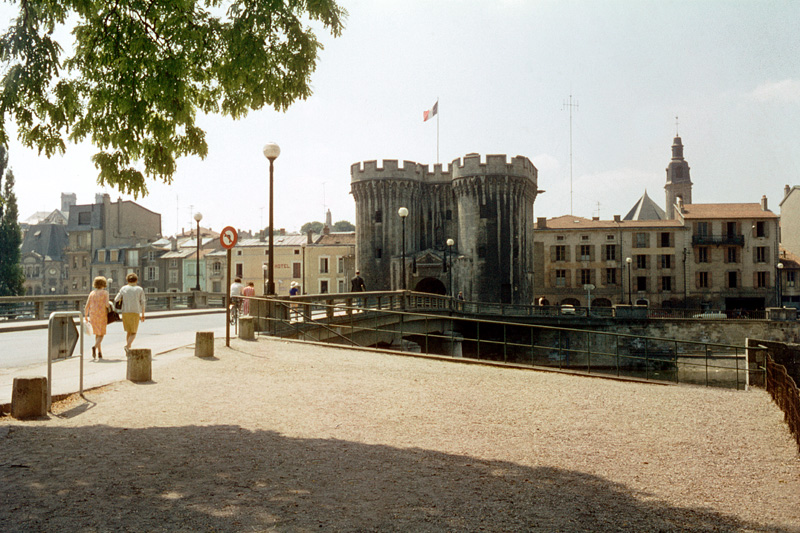
This is a lot of effort, so it can (in my view) only be performed for valuable images, but it consistently works as the (new) scan using this method shows. I got no (zero) Newton Rings. The editing was fast and easy.
 Zanzig.com Photo Hub